Help
Deleting an account
Follow these steps directly within the nyra therapy app to trigger the automated deletion process. Alternatively, send a deletion request with your associated email address under info@nyra.health.
- 1
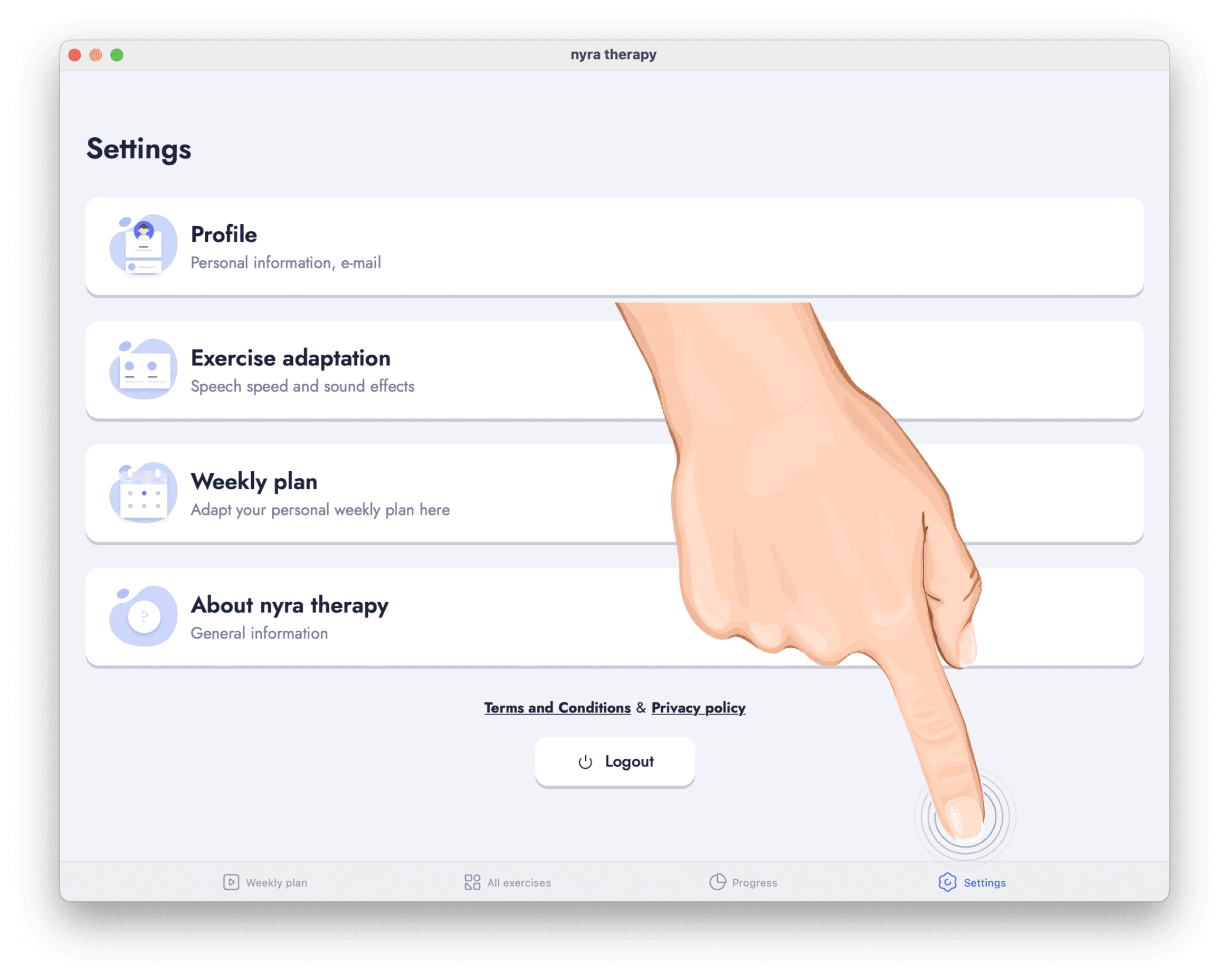
Go to settings
Inside the nyra therapy app, navigate to the settings page by tapping on "Settings" in the bottom navigation bar.
- 2
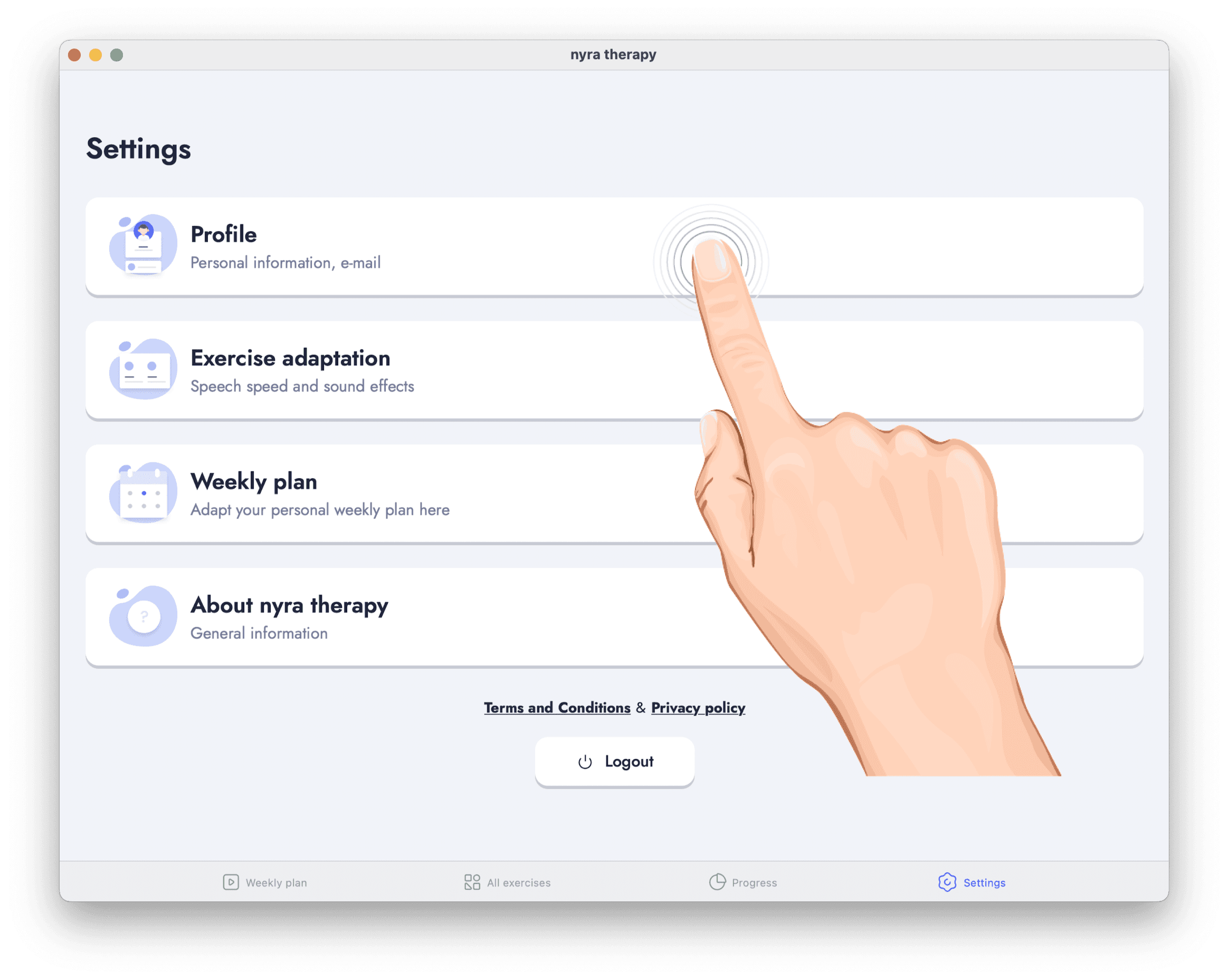
Select “Profile”
On the settings page, tap on "Profile".
- 3
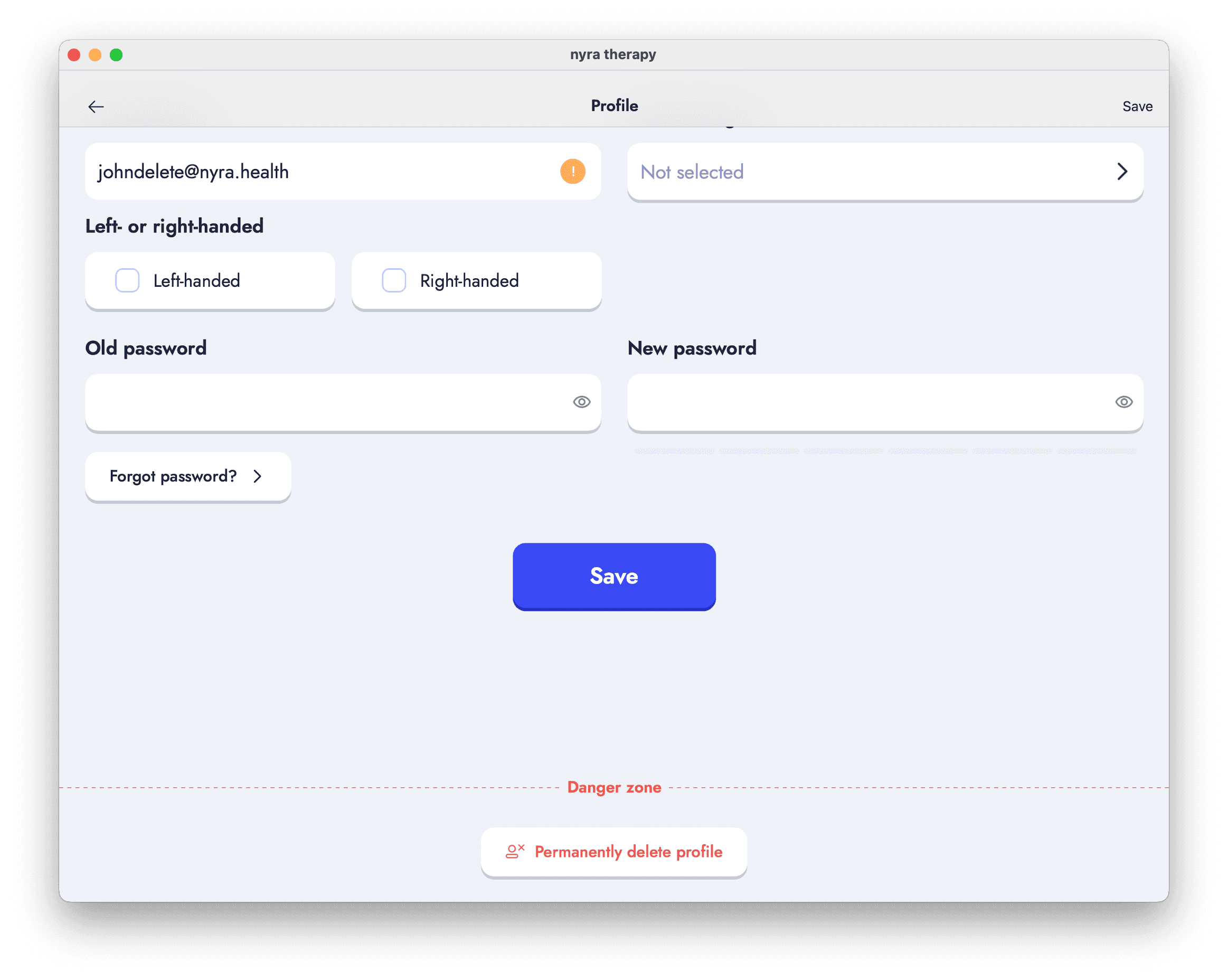
Scroll down
In the profile settings page, scroll down until you see the "Danger zone" with a button saying "Permanently delete profile" below.
- 4
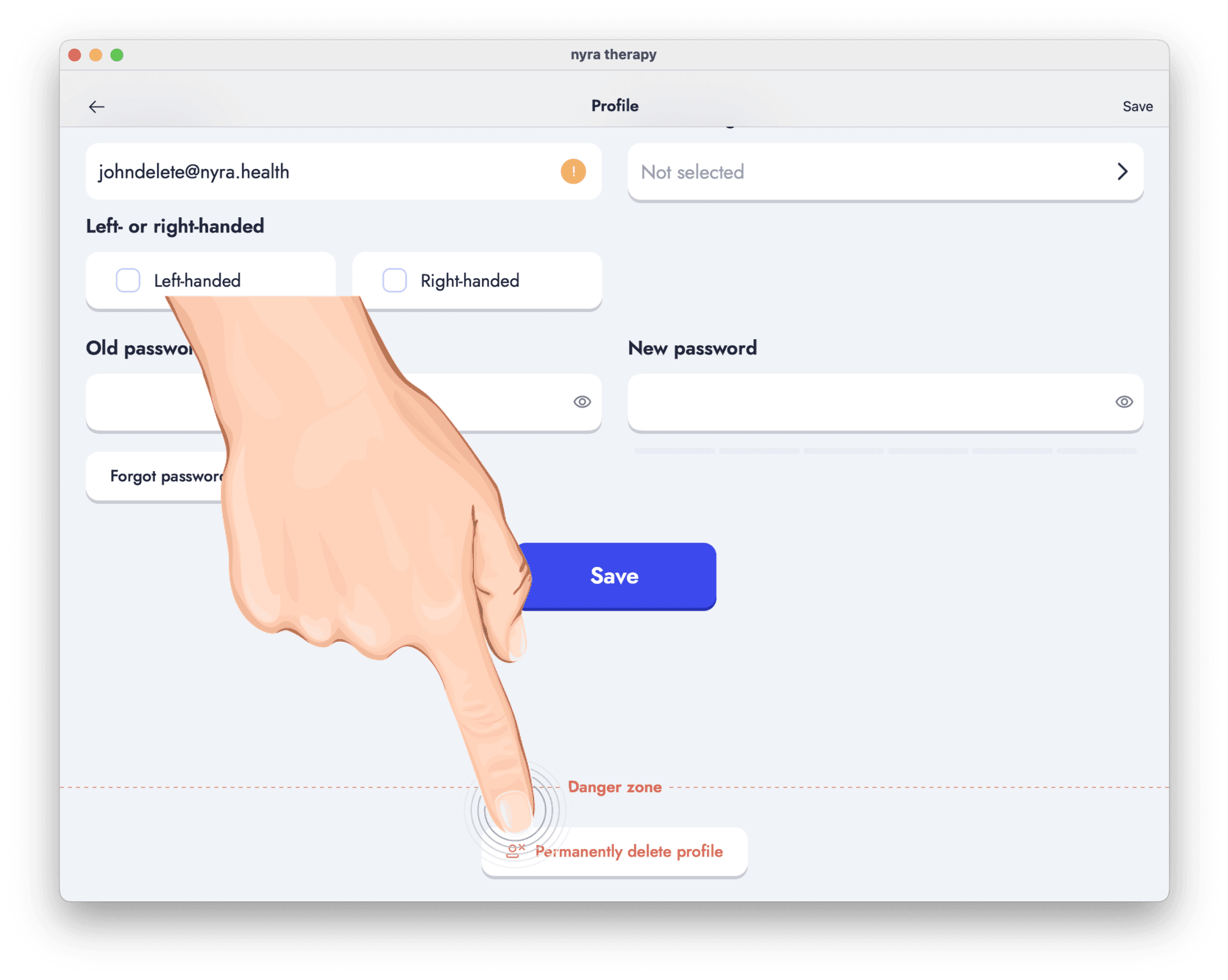
Tap on delete
Tap on the "Permanently delete profile" button and enter your password to confirm the deletion process.