
How to install myReha
New to myReha and don't have access yet? We'll walk you through it step by step: from the download on your iOS or Android device through registration to cover by your health insurer.
What you need for the installation:
- Device: an Android or iOS smartphone or tablet
- Connection: an active internet connection
- Card: your health insurance card (for reimbursement)
- If you have them: the login details from your practice or clinic
- 7 steps
- approx. 3 min read
- For Android & iOS
📱 Not sure whether you have an Apple or an Android device?
No problem, let's work it out together. Good to know: the “store” is simply the app you use to download new apps onto your device. On Apple it is called the App Store, on Android the Google Play Store.
Apple (iPhone / iPad)
- There is an apple symbol on the back.
- In Settings you'll find “General” → “About”.
- Your download app is called the App Store (a blue icon with a white “A”).
Android (Samsung, Google, Xiaomi …)
- Your device is made by Samsung, Google, Xiaomi, Motorola or Huawei, for example.
- In Settings you'll find “About phone”.
- Your download app is called the Google Play Store (the colourful triangle icon).
📱 Is myReha compatible with my device?
myReha runs on smartphones and tablets, on Apple and on Android. Take a moment to check that your device is suitable.
Apple: iPhone and iPad
You need iOS 16 or newer. These devices are suitable:
- iPhone SE (2nd generation or newer)
- iPhone 8 and 8 Plus or newer
- iPad from the 5th generation
- iPad Air from the 3rd generation
- iPad mini from the 5th generation
- All iPad Pro models
How to check your version:
Settings → General → About → Software VersionDoes it show a number lower than 16? Then run an update first:
Settings → General → Software UpdateAndroid: smartphones and tablets
You need Android 6.0 or newer. Well supported devices include:
- Samsung Galaxy S24 oder neuer
- Samsung Galaxy A55 / A16 oder neuer
- Samsung Galaxy Tab S6 / Tab A8 oder neuer
- Lenovo Tab P12 oder neuer
- Huawei MatePad Pro
How to check your version:
Settings → About phone → Android versionDepending on the device, this entry may also be called “Phone info” or “Device information”.
Tablets also need a large enough screen, at least 1024 × 711 dp.
You'll also need
- Around 1 GB of free storage. The app is large because all the exercises are included.
- A Wi-Fi connection for the installation.
How to check for yourself
Search for “myReha” in the App Store or the Google Play Store. If you can install the app there, your device is fine.
Still unclear? Write to support@nyra.health and tell us your device.
- 01App Store
Open the App Store
Open the App Store app on your tablet or smartphone.
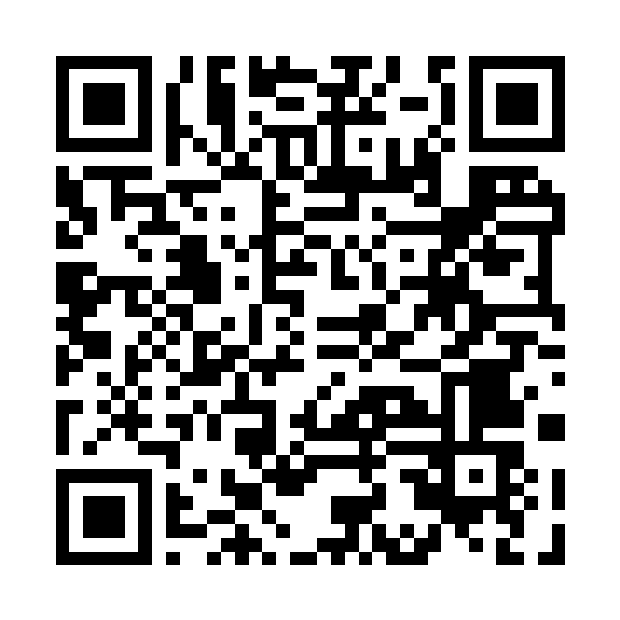
Quick tip: hold your camera over the QR code. It takes you straight to myReha.
Look for this icon on your screen
iPhone/iPad
Point your camera at the code
- 02Getting oriented
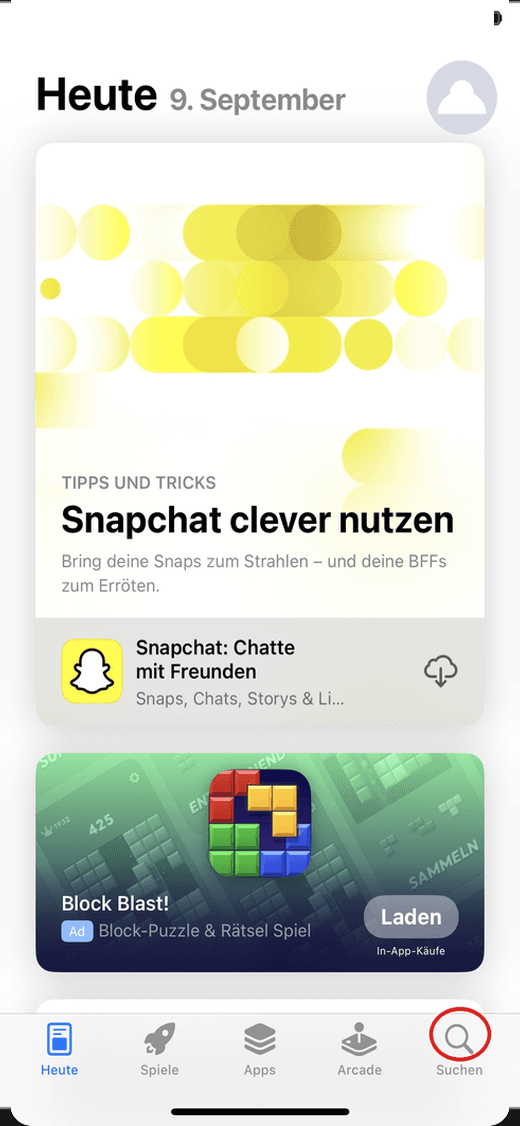
This is what the App Store looks like
This is what the App Store looks like when you open it. Tap “Search” at the bottom right. In the picture the button is marked in red.
- 03Search
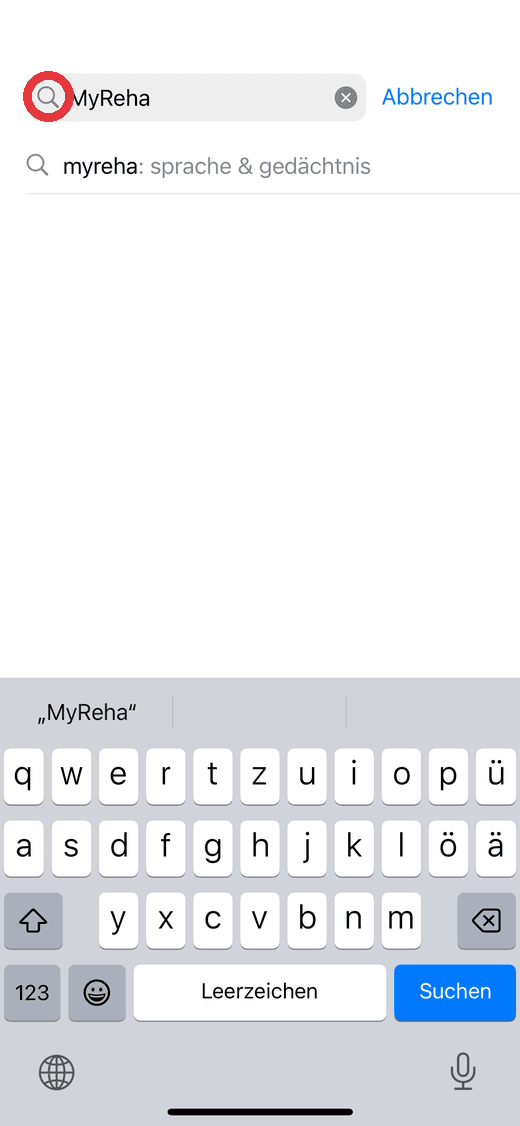
Type “myReha”
Type “myReha” into the search field. You'll recognise the search field by the magnifying glass icon. In the picture it is circled in red.
- Search field: myReha
- 04Download
Download & install
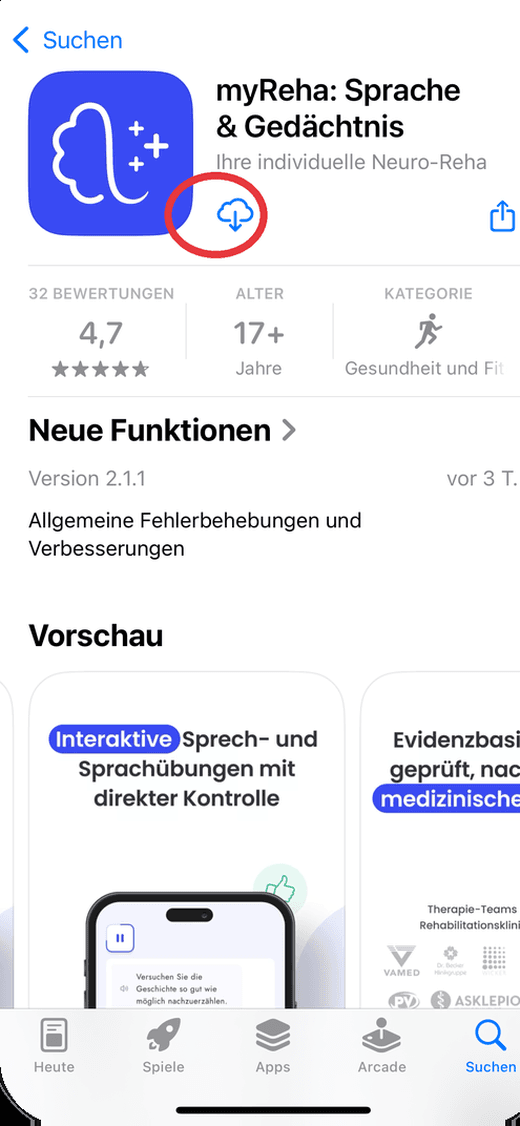
Tap “Get” to download myReha. You'll recognise the app by its name “myReha: Sprache & Gedächtnis” and the blue brain icon.
- Blue brain icon
- Free download
From here on it's the same, whether you use an Apple device or Android.
- 05Getting started
Open the app & sign in or register
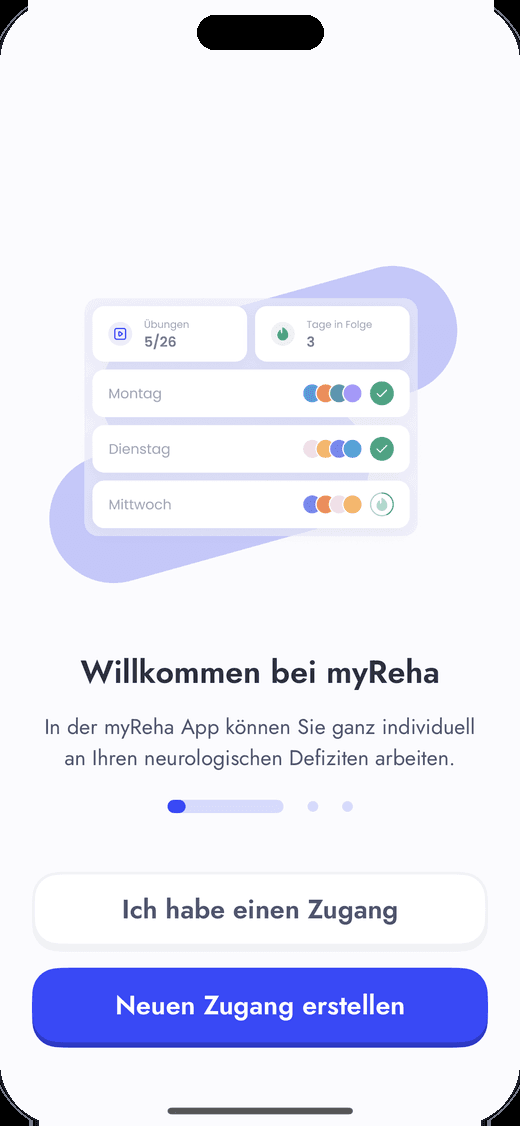
- 1Open the myReha app on your screen (the blue icon).
- 2Do you have login details from your practice or clinic? Tap “I have an account”.
- 3Don't have login details yet? Tap “Create new account”. Follow the step-by-step instructions and register in a few taps.
- 06Your login
Sign in
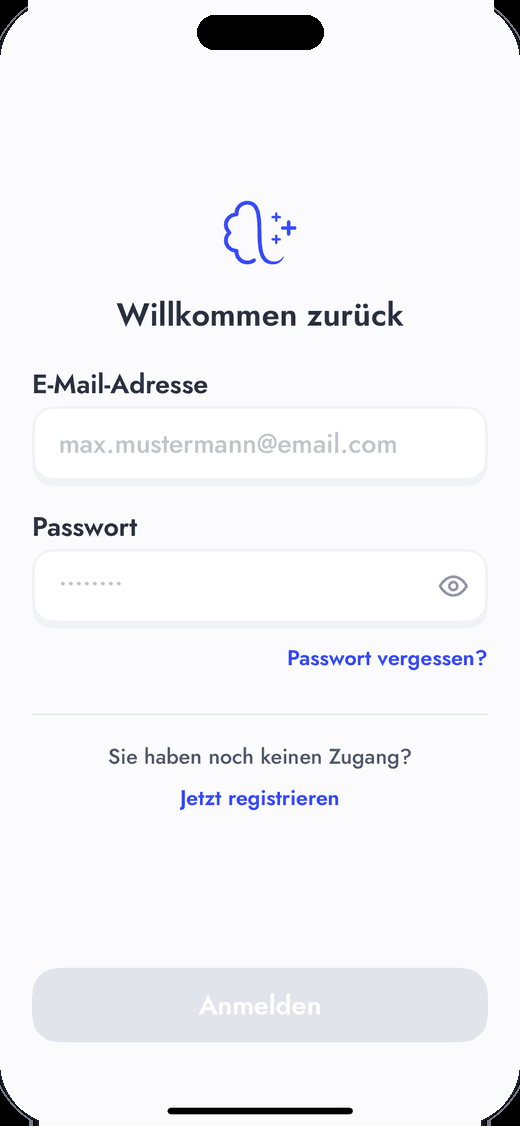
Now enter your login details: email address and password. Then tap “Sign in”.
Important: if you were given login details at your practice or clinic, use exactly those.
- 07Insurance
Confirm your insurance details
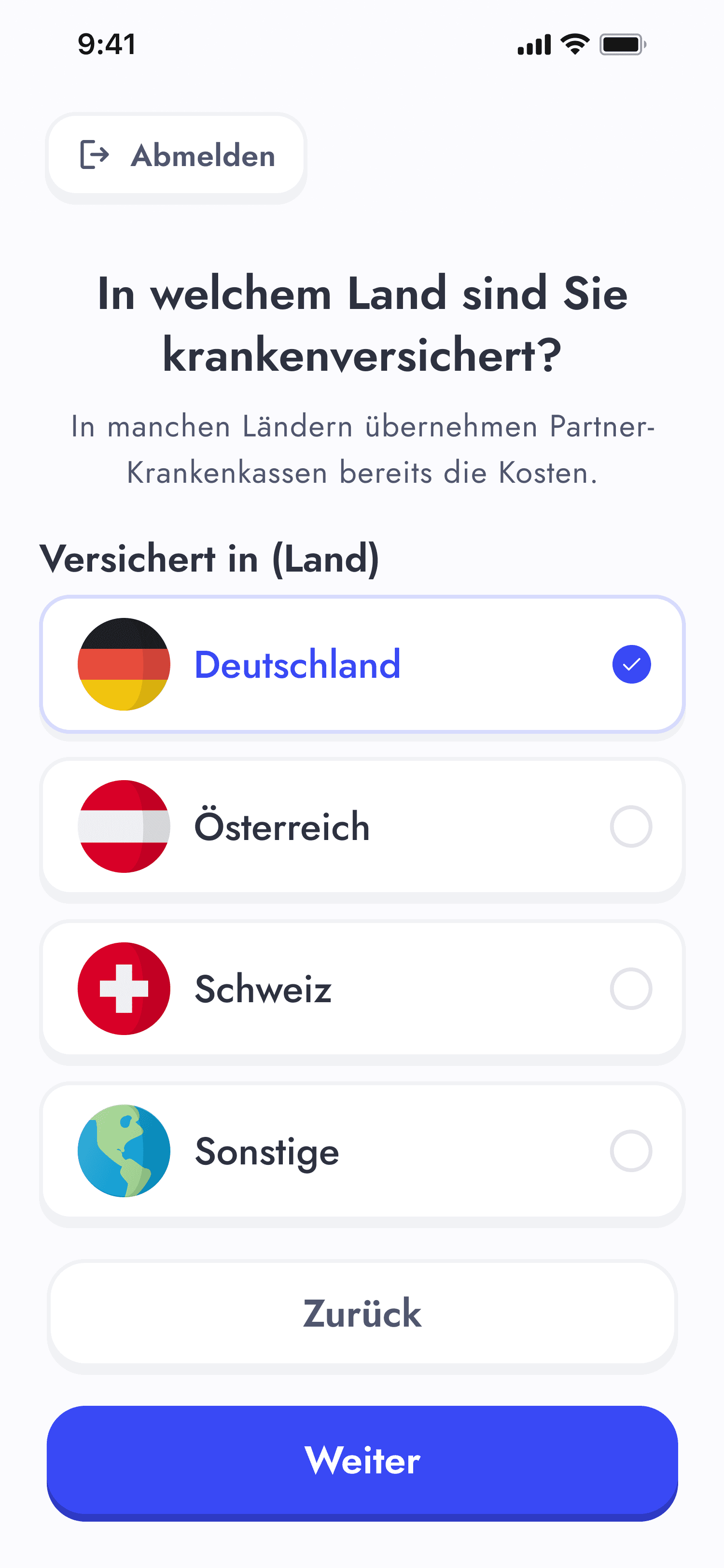
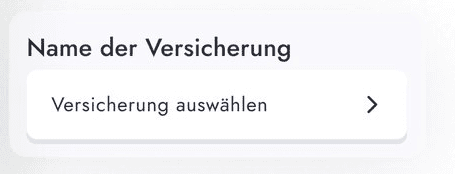
Almost there! You may still be asked to confirm your insurance details. Please enter them. We check straight away whether your health insurer covers the cost of myReha.
- Enter insurance details
- Cover is checked straight away
Do you have any questions?
Talk to your therapist or write to us:
 Evidence-basedDeveloped by experts in neurology, speech-language pathology, and neuropsychology
 CE-certifiedApproved as a medical device across Europe
 GDPR-compliantAll data is managed in full accordance with GDPR regulations
 ISO-certifiedQuality management based on the highest international standards